🎚️
Deck A & B with crossfade
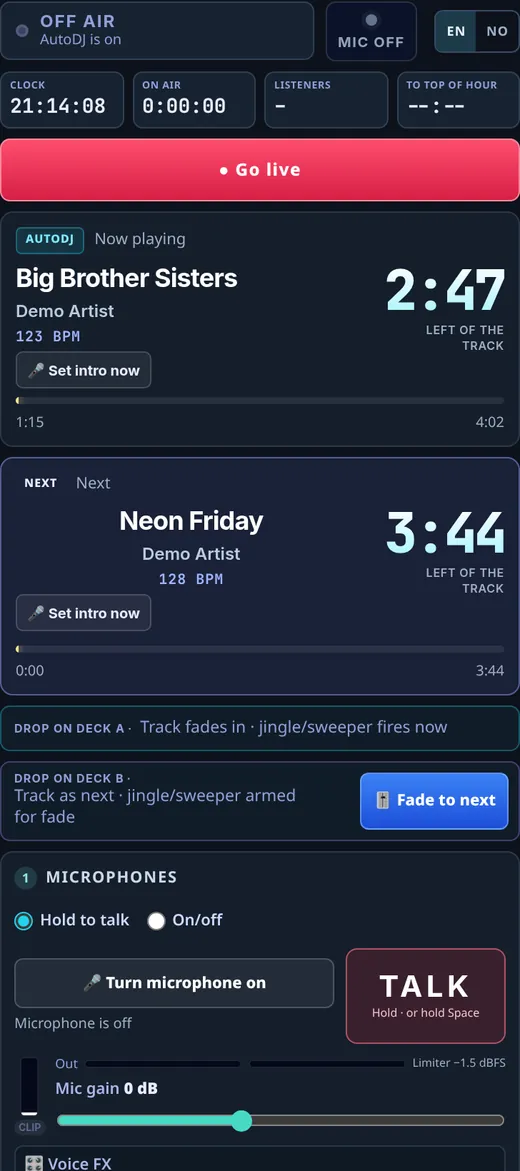
Drag a track onto a free deck. Deck A plays now, deck B is armed as next, and “Fade to next” does a smooth 4-second crossfade. Countdown and “left of the track” are always in view.

Early access · built and run daily on Radio Nettvy
DeckFlow Studio gives you two decks with crossfade, hot-key jingles, up to three microphones, remote co-hosts and a 24/7 AutoDJ – with no software to install. And every plan streams in full 320 kbps.

Features
Most hosted radio services give you a stream and an upload page. DeckFlow gives you the studio as well.
Drag a track onto a free deck. Deck A plays now, deck B is armed as next, and “Fade to next” does a smooth 4-second crossfade. Countdown and “left of the track” are always in view.
AutoDJ runs 24/7 with A/B/C rotation. Press “Go live” and you take over seamlessly – no extra encoder like BUTT. Go off air and AutoDJ picks up again.
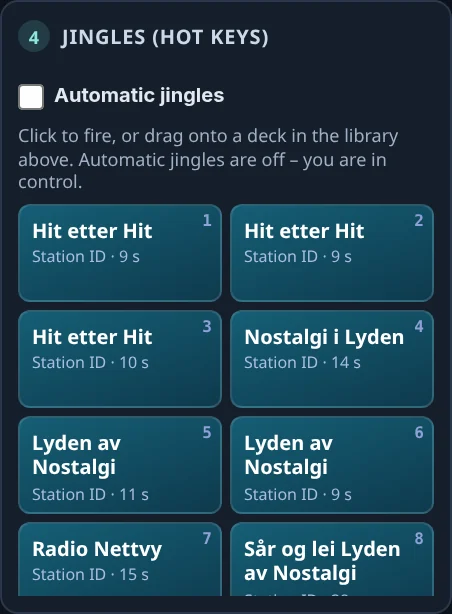
Station IDs, sweepers and on-air stings on keys 1–9. Fire them instantly or drop them on a deck. Automatic jingles fit them in between tracks, matched to the music’s BPM.
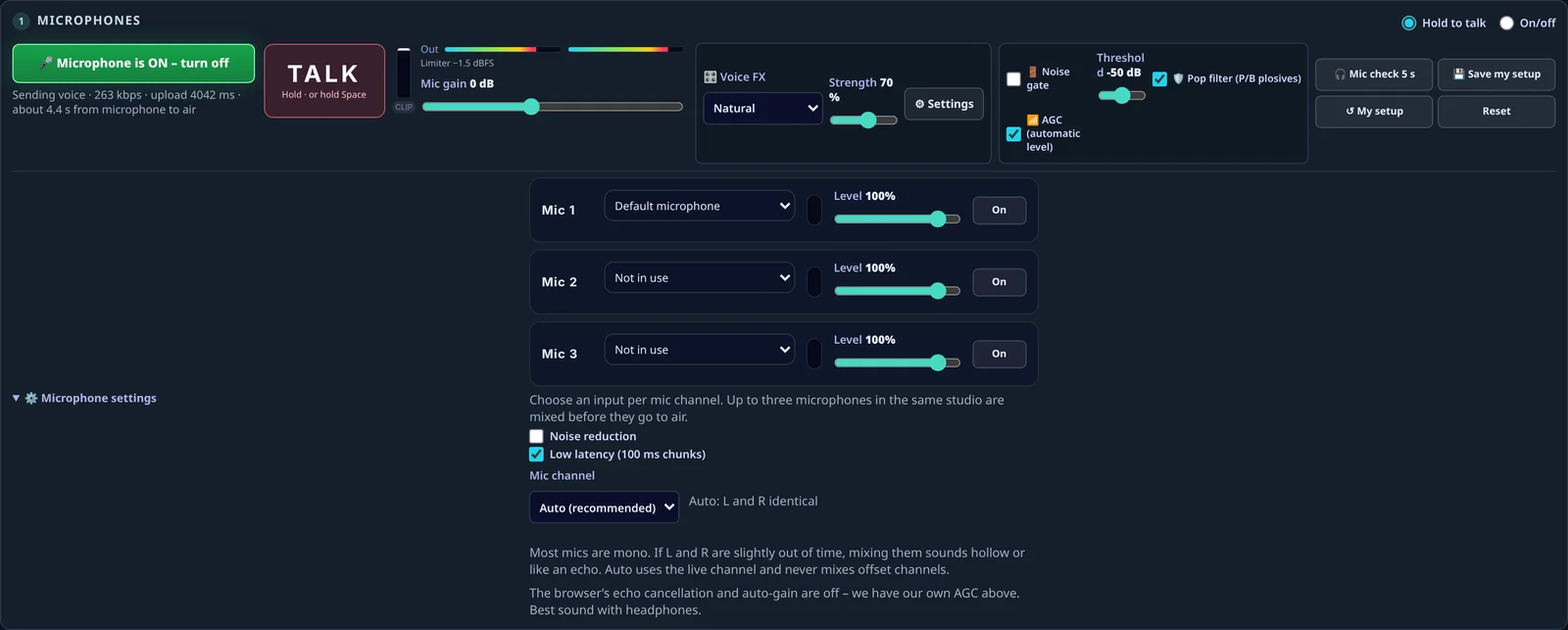
Hold to talk (or Space), or on/off mode. Up to three mics, with gain, limiter, noise gate, pop filter, automatic level (AGC) and voice FX – saved as your own setup.
Invite a co-host with a link. Their voice joins the broadcast through your studio, so you stay in control of the mix.
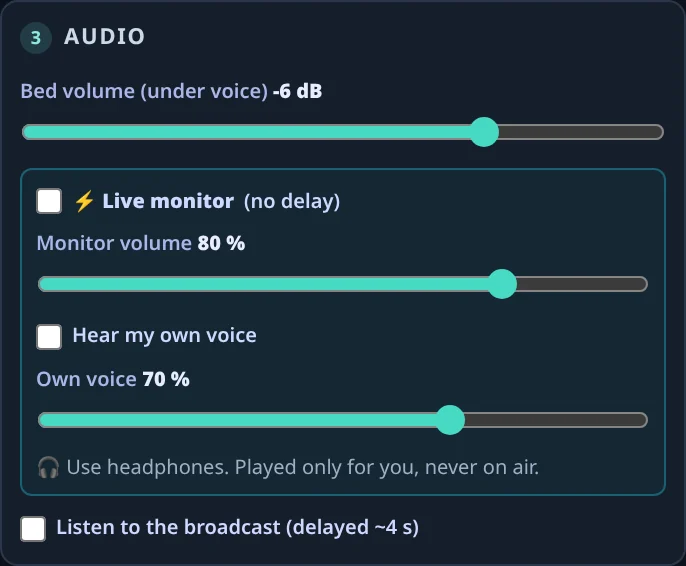
Hear the mix in real time in your headphones – including your own voice if you want – instead of the stream’s delay. Played only for you, never on air.
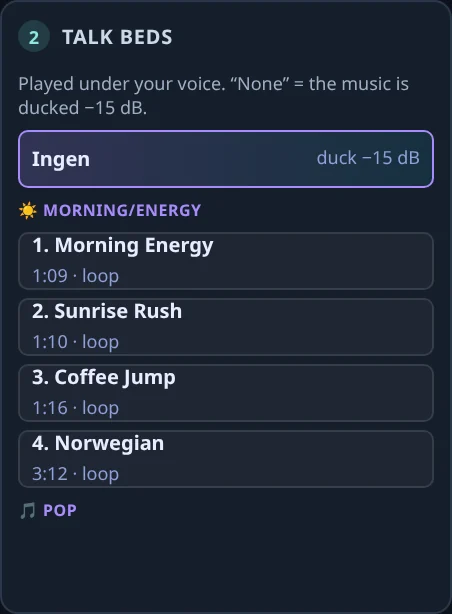
Run a music bed under your voice. The music ducks about 15 dB while you talk, and comes back when you stop.
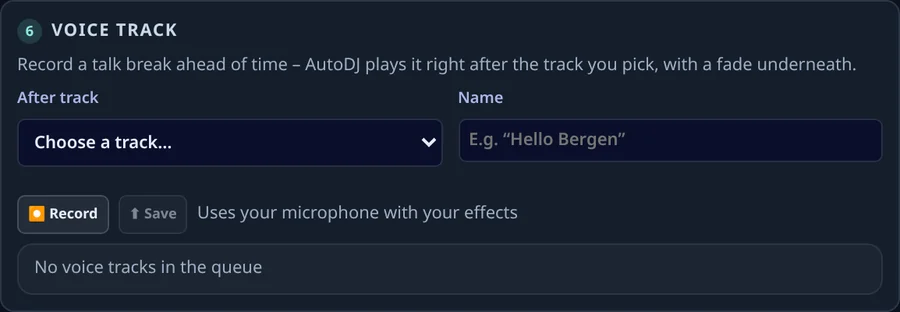
Record a talk break ahead of time and AutoDJ plays it after the track you choose. Keep cue notes for the show, and see listener requests as they arrive.
The output chain has broadcast-style levelling and a limiter, and streams as 320 kbps MP3 stereo – the quality other hosts keep for their most expensive plans.
For your listeners
Embed the player and radio bar on your own site. On sites that support it, listening continues while visitors browse from page to page.
Inside the studio
Real screenshots from the DeckFlow Studio panel (test environment, demo tracks and names). Nothing here is a mock-up.
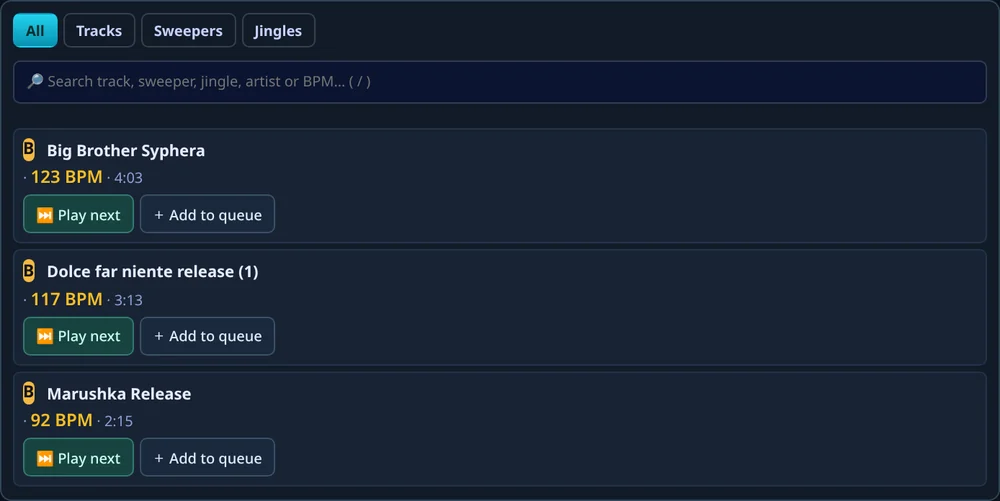
Drag tracks, sweepers or jingles from the library onto a free deck. Deck A plays now, deck B is armed as next, and “Fade to next” runs a 4-second crossfade. Search by title, artist or BPM with “/”.
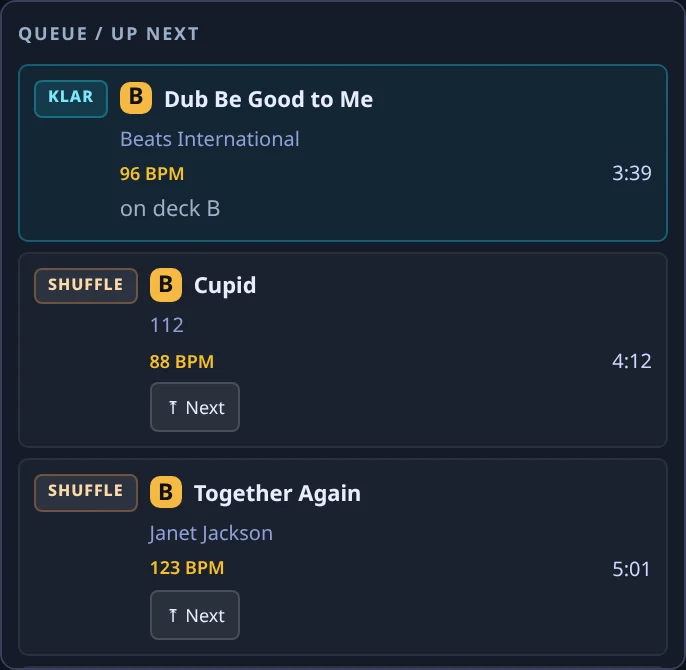
AutoDJ runs 24/7 and hands over the moment you press “Go live”. Jingles sit on keys 1–9 – station IDs, sweepers, on-air stings and intros – fire them instantly or drop them on a deck.
Use “Hold to talk” (mouse or Space bar) or switch to On/off to lock the mic open. Up to three microphones in the same studio, each with its own device, level meter, level and on/off – mixed before they go on air.
Voice FX
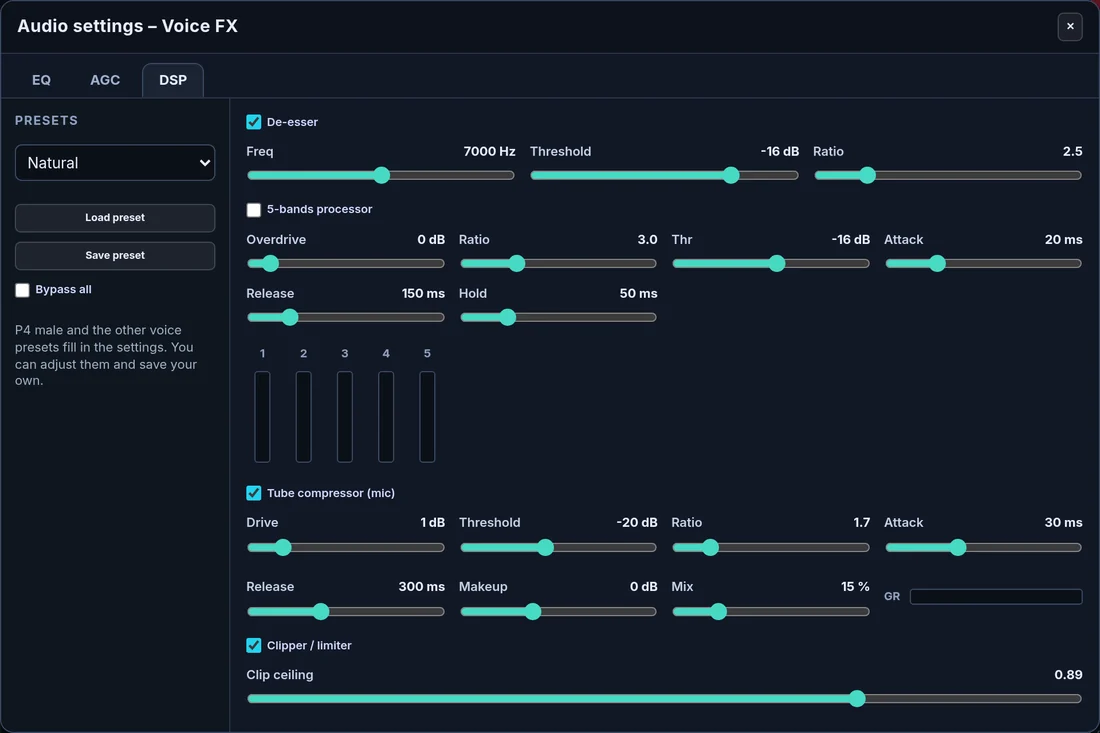
Pick a voice preset, set the strength, or open Audio settings and tune every stage yourself. Save your own presets – or bypass it all.
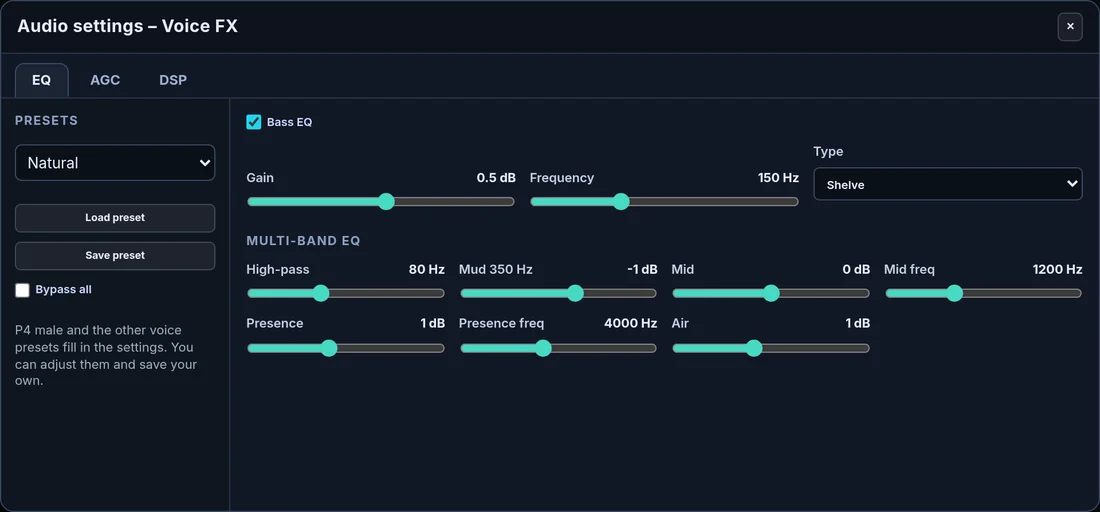
High-pass, bass EQ (shelf, adjustable frequency and gain), a “mud” cut at 350 Hz, mid band, presence and air – the curve each preset starts from.
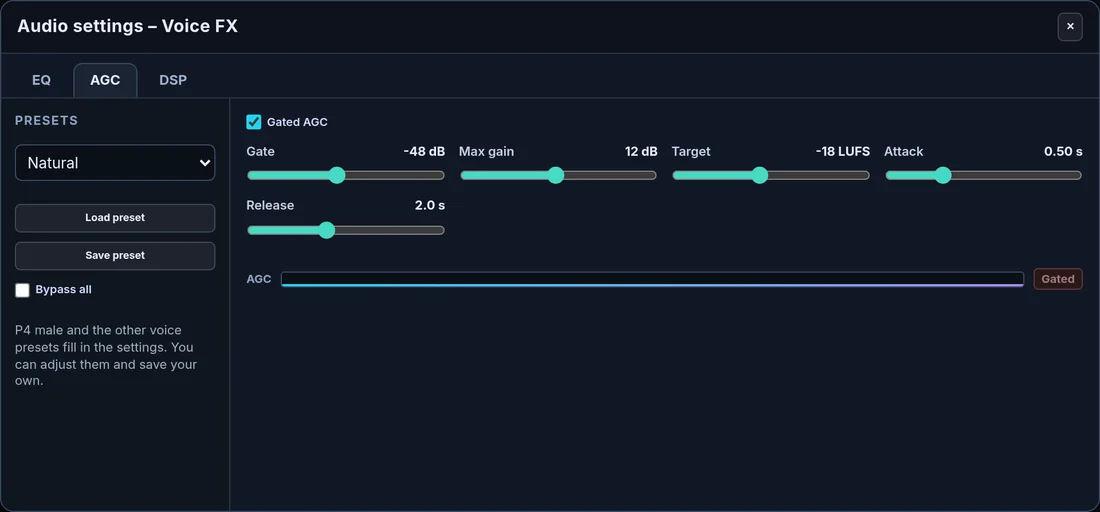
Automatic gain that rides your level towards −18 LUFS, with a gate so it never pumps up room noise between words. Gate, max gain, target, attack and release are all adjustable.
A de-esser tames sharp S-sounds. The 5-band processor evens out the voice band by band. The tube compressor adds warmth and density – with drive, threshold, ratio, attack, release, makeup, wet/dry mix and a gain-reduction meter. A soft clipper sets the final ceiling.
Broadcast chain
Behind the studio, the server mixes voice, music and jingles and runs everything through a broadcast chain – so every show sounds even, loud and clean, whoever is on air.
Opto-like attack and release (25 / 280 ms), soft knee, ratio 3:1 and a touch of drive on the whole program – no lookahead, so no extra delay.
A fast limiter after the tube compressor catches every peak, so the stream never clips – even when a guest shouts.
The final mix is encoded as 320 kbps MP3 stereo, 44.1 kHz. Most hosts only offer that on their top plans.
Send an invite link. Your co-host opens it in the browser, switches on the mic and controls their own voice effect and gain. You decide when they’re on air.

Streams run a few seconds behind. The live monitor plays the mix in your headphones in real time, so you can talk right on the beat.
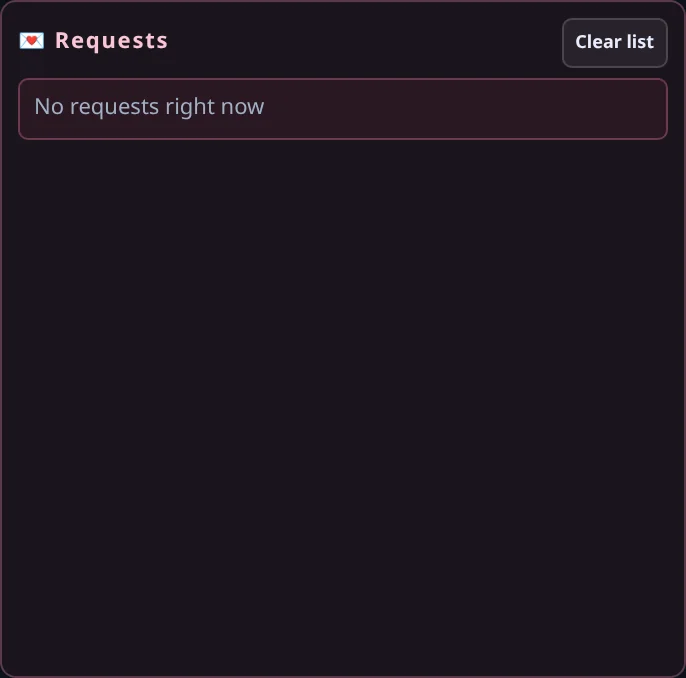
Listener requests pop up in the studio with their greeting. Record a talk break in advance and AutoDJ plays it after the track you pick, with a fade underneath. Keep cue notes for the show next to the decks.
How it works
Add tracks, jingles, sweepers and talk beds to your library. AutoDJ starts playing right away.
Log in from any modern browser. Plug in a headset or USB mic – nothing to install.
Take over from AutoDJ, mix on deck A and B, fire jingles and talk – with co-hosts if you like.
End your show and AutoDJ continues the music, so your station is never silent.
Pricing
Planned launch prices, per month, excl. VAT. DeckFlow Studio is in early access – request a demo to join.
For hobby stations and online DJs
€19/ month
Most popular
For community, school and church radio
€49/ month
For networks and multi-channel brands
€149/ month
Non-profits, schools and churches: 20% off. Extra listener hours: €0.002 per hour. Music licences (e.g. TONO/Gramo, STIM, PRS, SoundExchange) are arranged by the station, as with most hosted radio services.
Compare
Based on each vendor’s public pricing and help pages, checked November 2026. Prices can change – check the vendor before you decide.
| DeckFlow Studio | SAM Broadcaster | AzuraCast | Live365 | |
|---|---|---|---|---|
| Type | Hosted, in the browser | Windows program (Pro) or SAM Cloud | Free, self-hosted | Hosted |
| Price from | €19 / month | $299 one-time (Pro) · Cloud from $30 / month | Free + your own server | $65 / month (with ads) |
| 320 kbps | ✓ Every plan | SAM Cloud: no (128 kbps) | ✓ | From $219 / month |
| Live studio in the browser | ✓ Two decks, crossfade, jingles, mics | No – desktop software | Web DJ (mic + local files) | Not confirmed |
| AutoDJ | ✓ | ✓ | ✓ | ✓ |
| Server to maintain | No | A Windows PC running (Pro) | Yes – Linux/Docker | No |
| Music licence | Station arranges | Station arranges | Station arranges | Included in US/CA/MX |
SAM Broadcaster, AzuraCast and Live365 are trademarks of their respective owners. DeckFlow Studio is not affiliated with them.
FAQ
No. The studio runs in a modern browser such as Chrome, Edge or Firefox. You only need a headset or microphone.
The studio is used every day on Radio Nettvy in Norway. We are now preparing it for more stations and taking a small group of early-access stations. Request a demo and we’ll tell you where we are.
Like most hosted radio services, the station holds its own licences (for example TONO and Gramo in Norway, STIM in Sweden, PRS/PPL in the UK, or SoundExchange in the US). DeckFlow provides the stream and the tools.
One listener listening for one hour. 10 listeners for 3 hours is 30 listener hours. At 320 kbps one listener hour is about 144 MB of data.
Yes. Send them an invite link. Their voice goes out through your studio, so you control the levels.
AutoDJ plays your library with rotation, jingles and any voice tracks you have recorded, 24 hours a day.
The studio panel is available in English and Norwegian. More languages will follow.
Request a demo
Tell us a little about your station and we’ll get back to you with a demo and early-access details. No payment, no obligation.
Or email us at contact@deckflowstudio.com